


















• Home
  • Guides
    • All
    • Linux
    • Programming
    • Tools
    • WordPress
    Working With Webhooks in PHP

    Working With Webhooks in PHP

    My Backup Setup for Linux PCs

    My Backup Setup for Linux PCs

    Detecting Hidden WordPress Malware Disguised as Images

    Detecting Hidden WordPress Malware Disguised as Images

    Server-Side Image Conversion with Apache

    Server-Side Image Conversion with Apache

    Fastest Way to Extract a Massive .tar.gz File on Linux

    Fastest Way to Extract a Massive .tar.gz File on Linux

    Monitor SSL Expiration with Python

    Monitor SSL Expiration with Python

    Building a Simple WordPress Post List Tool with PHP

    Building a Simple WordPress Post List Tool with PHP

    Monitoring Web Page Changes with Python

    Monitoring Web Page Changes with Python

    My SSH Setup: How I Manage Multiple Servers

    My SSH Setup: How I Manage Multiple Servers

  • Blog
    • All
    • Artificial Intelligence
    • Developer Life
    • Privacy
    • Reviews
    • Security
    • Tutorials
    Imposter Syndrome as a Self-Taught Developer

    Imposter Syndrome as a Self-Taught Developer

    Why Stable Websites Outperform Flashy Redesigns

    Why Stable Websites Outperform Flashy Redesigns

    AdGuard Ad Blocker Review

    AdGuard Ad Blocker Review

    Surfshark VPN Review

    Surfshark VPN Review

    Nmap Unleash the Power of Cybersecurity Scanning

    Nmap: Unleash the Power of Cybersecurity Scanning

    Floorp Browser Review

    Floorp Browser Review

    Understanding Man-in-the-Middle Attacks

    Understanding Man-in-the-Middle Attacks

    Privacy-Focused Analytics

    Privacy-Focused Analytics: Balancing Insights and Integrity

    Safeguarding Your Facebook Account

    Safeguarding Your Facebook Account: Understanding the Differences Between Hacking and Cloning

  • Apps
    • Bible App
    • Bible Verse Screensaver
    • Blue AI Chatbot
    • Early Spring Predictor
    • FIGlet Generator
    • Password Generator
    • StegX
    • The Matrix
    • WeatherX
    • Website Risk Level Tool
  • About
    • About JMooreWV
    • Live Cyber Attack Stats
  • Contact
    • General Contact
    • Website Administration & Cybersecurity
No Result
View All Result
  • Home
  • Guides
    • All
    • Linux
    • Programming
    • Tools
    • WordPress
    Working With Webhooks in PHP

    Working With Webhooks in PHP

    My Backup Setup for Linux PCs

    My Backup Setup for Linux PCs

    Detecting Hidden WordPress Malware Disguised as Images

    Detecting Hidden WordPress Malware Disguised as Images

    Server-Side Image Conversion with Apache

    Server-Side Image Conversion with Apache

    Fastest Way to Extract a Massive .tar.gz File on Linux

    Fastest Way to Extract a Massive .tar.gz File on Linux

    Monitor SSL Expiration with Python

    Monitor SSL Expiration with Python

    Building a Simple WordPress Post List Tool with PHP

    Building a Simple WordPress Post List Tool with PHP

    Monitoring Web Page Changes with Python

    Monitoring Web Page Changes with Python

    My SSH Setup: How I Manage Multiple Servers

    My SSH Setup: How I Manage Multiple Servers

  • Blog
    • All
    • Artificial Intelligence
    • Developer Life
    • Privacy
    • Reviews
    • Security
    • Tutorials
    Imposter Syndrome as a Self-Taught Developer

    Imposter Syndrome as a Self-Taught Developer

    Why Stable Websites Outperform Flashy Redesigns

    Why Stable Websites Outperform Flashy Redesigns

    AdGuard Ad Blocker Review

    AdGuard Ad Blocker Review

    Surfshark VPN Review

    Surfshark VPN Review

    Nmap Unleash the Power of Cybersecurity Scanning

    Nmap: Unleash the Power of Cybersecurity Scanning

    Floorp Browser Review

    Floorp Browser Review

    Understanding Man-in-the-Middle Attacks

    Understanding Man-in-the-Middle Attacks

    Privacy-Focused Analytics

    Privacy-Focused Analytics: Balancing Insights and Integrity

    Safeguarding Your Facebook Account

    Safeguarding Your Facebook Account: Understanding the Differences Between Hacking and Cloning

  • Apps
    • Bible App
    • Bible Verse Screensaver
    • Blue AI Chatbot
    • Early Spring Predictor
    • FIGlet Generator
    • Password Generator
    • StegX
    • The Matrix
    • WeatherX
    • Website Risk Level Tool
  • About
    • About JMooreWV
    • Live Cyber Attack Stats
  • Contact
    • General Contact
    • Website Administration & Cybersecurity
No Result
View All Result
Home Guides Programming JavaScript

Add NWS Weather to Your Website

Jonathan Moore by Jonathan Moore
5 years ago
Reading Time: 4 mins read
A A
Add NWS Weather to Your Website
FacebookTwitter

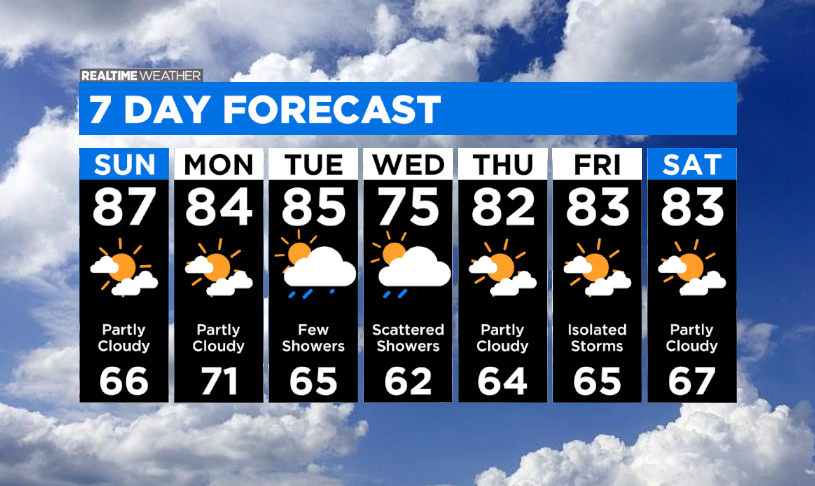
One of the most common issues with displaying weather information on websites is the high cost of API access. Luckily, the National Weather Service provides free access to their JSON API with a lot of data available. In this guide, I am going to show you how to utilize the NWS JSON API for your weather needs.

Let’s Get Started

Getting started with this project is very easy as we will not be relying on any external JavaScript libraries, just pure JavaScript. Though this example is very basic, you can adapt it and create a very powerful web app as I did with my WeatherX app.

Create an HTML Page

This is the basic HTML for setting up our website to show the weather information. This template will display the weather information within the weather table.

<!DOCTYPE html>
<html lang="en">
    <head>
        <meta charset="utf-8" />
        <meta name="viewport" content="width=device-width, initial-scale=1" />
        <style>
            table {
                width: 800px;
            }
            #weather {
                font-family: Verdana, sans-serif;
            }
            #weather td {
                vertical-align: text-top;
                padding-bottom: 8px;
            }
            #weather td:first-child {
                padding-right: 10px;
                font-weight: 600;
            }
        </style>
        <title>My First Weather App</title>
   </head>

   <body>

        <table id="weather"></table>

   </body>
</html>

Add the JavaScript

Now that we have our basic HTML template, all we need to do is add our JavaScript code underneath the weather table tag.

var lat = "38.349819";
var lng = "-81.632622";

function addWeather( element, value ) {
    var table = document.getElementById( "weather" );
    var row = table.insertRow( -1 );
    var cell1 = row.insertCell( 0 );
    var cell2 = row.insertCell( 1 );
    cell1.innerHTML = element + ":";
    cell2.innerHTML = value;
}

function initWeather() {
    fetch( 'https://forecast.weather.gov/MapClick.php?lat=' + lat + '&lon=' + lng + '&unit=0&lg=english&FcstType=json' )
        .then( async response => {
            const json = await response.json();
            addWeather( "Location", json.location.areaDescription );
            addWeather( "Temperature", json.currentobservation.Temp + "°" );
            addWeather( "Wind", json.currentobservation.Winds + " mph" );
            addWeather( "Humidity", json.currentobservation.Relh + "%" );
            addWeather( "Dew Point", json.currentobservation.Dewp + "°" );
            addWeather( "Barometer", json.currentobservation.SLP + " in" );
            addWeather( "Visibility", json.currentobservation.Visibility + " mi" );
            addWeather( "Forecast", json.data.text[0] );
    });
}


The above code will fetch the JSON data from the National Weather Service website for the latitude (lat) and longitude (lng) of the location. Once the data is obtained, the individual JSON keys are parsed and then sent to the addWeather function. This function takes the parameters that it receives and creates a row with two columns for each call in the weather table. The first column contains the key of the JSON data, for example, the word Temperature. The second column contains the value of that key such as 63°.

In this example project, we are going to use the body tag of our HTML template to load the JavaScript after the page loads.

<body onload="initWeather()">

Our Final Project

We now have all the required code in place, so let’s see what it looks like when it’s all pulled together.

<!DOCTYPE html>
<html lang="en">
    <head>
        <meta charset="utf-8" />
        <meta name="viewport" content="width=device-width, initial-scale=1" />
        <style>
            table {
                width: 800px;
            }
            #weather {
                font-family: Verdana, sans-serif;
            }
            #weather td {
                vertical-align: text-top;
                padding-bottom: 8px;
            }
            #weather td:first-child {
                padding-right: 10px;
                font-weight: 600;
            }
        </style>
        <title>My First Weather App</title>
   </head>

   <body onload="initWeather()">

        <table id="weather"></table>

        <script>
            var lat = "38.349819";
            var lng = "-81.632622";

            function addWeather( element, value ) {
                var table = document.getElementById( "weather" );
                var row = table.insertRow( -1 );
                var cell1 = row.insertCell( 0 );
                var cell2 = row.insertCell( 1 );
                cell1.innerHTML = element + ":";
                cell2.innerHTML = value;
            }

            function initWeather() {
                fetch( 'https://forecast.weather.gov/MapClick.php?lat=' + lat + '&lon=' + lng + '&unit=0&lg=english&FcstType=json' )
                    .then( async response => {
                        const json = await response.json();
                        addWeather( "Location", json.location.areaDescription );
                        addWeather( "Temperature", json.currentobservation.Temp + "°" );
                        addWeather( "Wind", json.currentobservation.Winds + " mph" );
                        addWeather( "Humidity", json.currentobservation.Relh + "%" );
                        addWeather( "Dew Point", json.currentobservation.Dewp + "°" );
                        addWeather( "Barometer", json.currentobservation.SLP + " in" );
                        addWeather( "Visibility", json.currentobservation.Visibility + " mi" );
                        addWeather( "Forecast", json.data.text[0] );
                });
            }

        </script>

   </body>
</html>

We have completed the guide for adding weather information to a website. If you have done everything correctly, your page should display information similar to the one below.

Helpful Tip

There is a lot more weather information available within the JSON data object than is used for this basic project. You can output the entire JSON data object to your console or visit the NWS JSON file to see what data is available to use.

function initWeather() {
    fetch( 'https://forecast.weather.gov/MapClick.php?lat=' + lat + '&lon=' + lng + '&unit=0&lg=english&FcstType=json' )
        .then( async response => {
            const json = await response.json();

            console.log( json );

            addWeather( "Location", json.location.areaDescription );
            addWeather( "Temperature", json.currentobservation.Temp + "°" );
            addWeather( "Wind", json.currentobservation.Winds + " mph" );
            addWeather( "Humidity", json.currentobservation.Relh + "%" );
            addWeather( "Dew Point", json.currentobservation.Dewp + "°" );
            addWeather( "Barometer", json.currentobservation.SLP + " in" );
            addWeather( "Visibility", json.currentobservation.Visibility + " mi" );
            addWeather( "Forecast", json.data.text[0] );
    });
}


Tags: JavaScriptJSONWeather
ShareTweetSharePinShareShareScan
ADVERTISEMENT
Jonathan Moore

Jonathan Moore

I am a Software Architect and Senior Software Engineer with 30+ years of experience building applications for Linux and Windows systems. I focus on system architecture, custom web platforms, server infrastructure, and security-focused tools, with an emphasis on performance and reliability. Over the years, I have built everything from WordPress plugins and automation systems to full platforms, ad serving systems, monitoring tools, and API-driven applications. I prefer working close to the system, solving real problems, and building tools that are meant to be used.

Related Articles

Monitoring Web Page Changes with Python

Monitoring Web Page Changes with Python

There are times when I need to know that a web page has changed without actively watching it. That might...

Calculating the Date of Easter Using the Computus Algorithm

Calculating the Date of Easter Using the Computus Algorithm

Easter is one of the oldest and most significant festivals in the Christian calendar, celebrating the resurrection of Jesus Christ....

Groundhog Day: Predicting Early Spring with PHP

Groundhog Day: Predicting Early Spring with PHP

In the quaint town of Punxsutawney, Pennsylvania, a unique tradition unfolds each year on February 2nd, known as Groundhog Day....

Next Post
Add NoFollow to External Links in WordPress

Add NoFollow to External Links in WordPress

Recommended Services

Latest Articles

Working With Webhooks in PHP

Working With Webhooks in PHP

I have used webhooks in a lot of different situations over the years, from payment alerts to form submissions to...

Read moreDetails

My Backup Setup for Linux PCs

My Backup Setup for Linux PCs

March 31st is World Backup Day. It is meant to be a reminder, but I do not rely on reminders...

Read moreDetails

Detecting Hidden WordPress Malware Disguised as Images

Detecting Hidden WordPress Malware Disguised as Images

With the recent discovery of malicious files like Stained_Heart_Red-600x500.png being found on servers across the web, it pushed me to...

Read moreDetails

Server-Side Image Conversion with Apache

Server-Side Image Conversion with Apache

I stopped relying on third party image services a while ago. They work, but they add cost, latency, and another...

Read moreDetails
  • Privacy Policy
  • Terms of Service

© 2025 JMooreWV. All rights reserved.

No Result
View All Result
  • Home
  • Guides
    • Linux
    • Programming
      • JavaScript
      • PHP
      • Python
    • Tools
    • WordPress
  • Blog
    • Artificial Intelligence
    • Tutorials
    • Privacy
    • Security
  • Apps
    • Bible App
    • Bible Verse Screensaver
    • Blue AI Chatbot
    • Early Spring Predictor
    • FIGlet Generator
    • Password Generator
    • StegX
    • The Matrix
    • WeatherX
    • Website Risk Level Tool
  • About
    • About JMooreWV
    • Live Cyber Attack Stats
  • Contact
    • General Contact
    • Website Administration & Cybersecurity